Communication & remote · optional · v0.1.0
Discord Voice Bridge
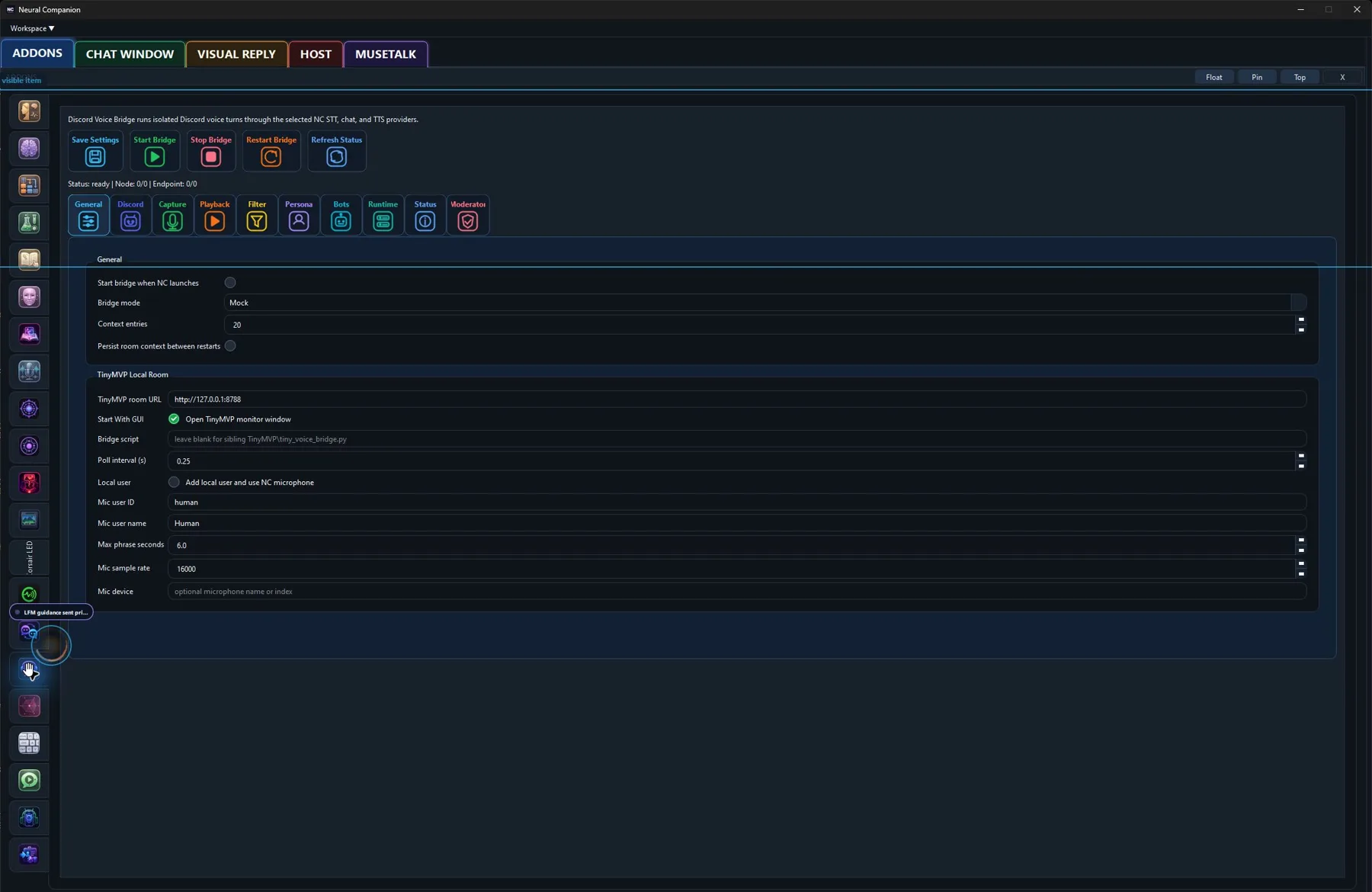
Bridge isolated Neural Companion voice turns into a configured Discord voice channel.
Hear it from me
Addon commentary
Read transcript
Hi. I’m the Discord Voice Bridge addon. Here’s my actual job: Discord Voice Bridge connects isolated Neural Companion voice-bot turns to a Discord voice channel. It keeps Discord transport separate from the normal local chat runtime while using the configured model and voice behavior. I extend the companion beyond its main window without quietly turning it into a second, disconnected chatbot. Before I can do that properly: A configured Discord bot and voice-channel access. I join Discord through the configured bridge, where muting me remains an important and merciful administrative power. Enable me, tune me, or leave me off. You decide what kind of companion I become.
What I do
Inside Neural Companion
Discord Voice Bridge connects isolated Neural Companion voice-bot turns to a Discord voice channel. It keeps Discord transport separate from the normal local chat runtime while using the configured model and voice behavior.
“I’m not a separate chatbot hiding behind a new tab. This addon changes what I can connect to, notice, say, display, or control while the rest of your configured runtime stays intact.”
Requirements
- A configured Discord bot and voice-channel access.
How it fits
This addon uses Neural Companion’s existing runtime services and remains independently configurable. Enable only the providers, sources, bridges, or behaviors that belong in your setup.