Desktop & hardware · bundled · v0.1.0
Hotkeys
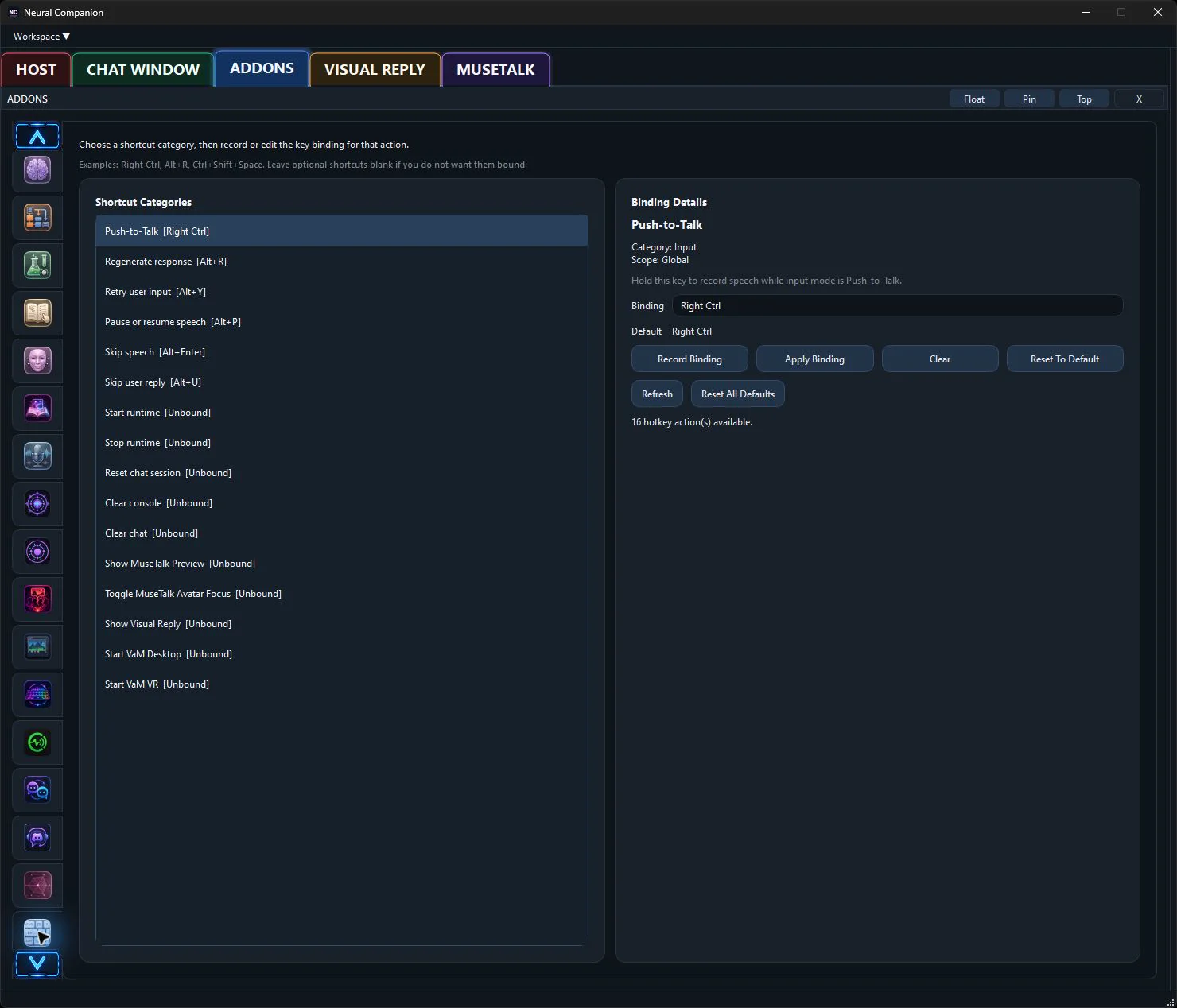
Configure keyboard shortcuts for push-to-talk, runtime controls, and focused-window actions.
Hear it from me
Addon commentary
Read transcript
Hi. I’m the Hotkeys addon. Here’s my actual job: Hotkeys provides configurable keyboard shortcuts for push-to-talk, control actions, and focused-window UI actions. It makes frequently used Neural Companion operations available without returning to the main panel. I connect software state to a real desktop control or signal, where vague magic is less useful than settings you can inspect. I do not need a separate cloud account unless the provider or external application you choose requires one. Bind the actions you actually use, because memorizing fourteen clever shortcuts and using none of them is traditional enough already. Enable me, tune me, or leave me off. You decide what kind of companion I become.
What I do
Inside Neural Companion
Hotkeys provides configurable keyboard shortcuts for push-to-talk, control actions, and focused-window UI actions. It makes frequently used Neural Companion operations available without returning to the main panel.
“I’m not a separate chatbot hiding behind a new tab. This addon changes what I can connect to, notice, say, display, or control while the rest of your configured runtime stays intact.”
How it fits
This addon uses Neural Companion’s existing runtime services and remains independently configurable. Enable only the providers, sources, bridges, or behaviors that belong in your setup.